HTML 구성 요소의 통합
Spring에서는 각 HTML 파일에서 공통적으로 사용되는 요소(예: 헤더, 푸터)를 별도의 파일로 만들어 재사용할 수 있다. 이러한 방식을 사용하면 코드의 재사용성을 높이고 유지보수를 쉽게 할 수 있다.
공통적으로 사용되는 요소에 th:fragment 태그를 삽입하고, 메인 페이지에 th:replace 태그를 삽입하여 통합할 수 있다.
경로

header.html
<!DOCTYPE html>
<html lang="en">
<head>
    <meta charset="UTF-8">
    <title>header</title>
</head>
<body>
<header th:fragment="header">
<nav class="navbar navbar-expand bg-dark bg-opacity-75 py-3 navbar-dark fixed-top" style="height: 80px;">
    <div class="container-fluid">
        <a class="navbar-brand" href="/"><h3 class="fs-3">Home</h3></a>

        <div class="collapse navbar-collapse" id="navbarSupportedContent">
            <ul class="navbar-nav me-auto mb-2 mb-lg-0">
                <li class="nav-item">
                    <a class="nav-link" href="/members/new">회원 가입</a>
                </li>
                <li class="nav-item">
                    <a class="nav-link" href="/members">회원 목록</a>
                </li>
            </ul>
        </div>
    </div>
</nav>
</header>
</body>
</html>
footer.html
<!DOCTYPE html>
<html lang="en">
<head>
    <meta charset="UTF-8">
    <title>footer</title>
</head>
<body>
<footer th:fragment="footer" class="bg-dark bg-opacity-75 text-white py-4 fixed-bottom" style="height: 80px;">
    <div class="container d-flex justify-content-center align-items-center" style="height: 100%;">
        <p class="m-0">이젠 ⓒ Designs by Crystal</p>
    </div>
</footer>
</body>
</html>
home.html (메인 페이지)
<!DOCTYPE html>
<html lang="en">
<head>
    <meta charset="UTF-8">
    <title>Hello Spring</title>
    <link href="/css/bootstrap.css" rel="stylesheet">
    <link href="/css/style.css" rel="stylesheet">
</head>
<body class="vh-100 d-flex flex-column justify-content-center align-content-center">
    <div th:replace="header :: header"></div>

    <div class="container text-center">
        <h1 class="fw-bold fs-1">Hello Spring</h1>
        <p class="py-3">Hello Spring에 오신 것을 환영합니다.</p>
    </div>

    <div th:replace="footer :: footer"></div>
</body>
</html>
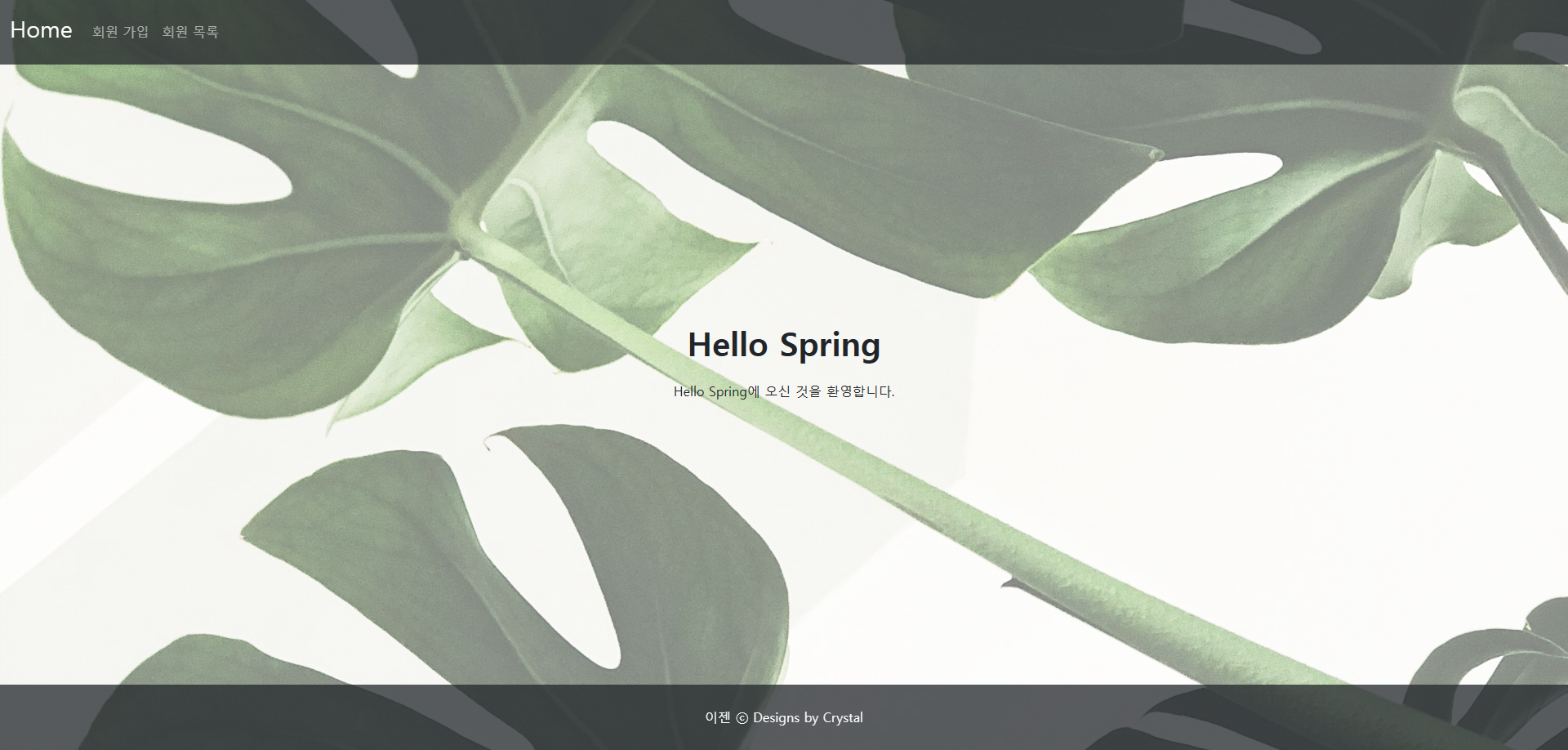
출력 화면
'Framework > Spring' 카테고리의 다른 글
| [Spring] Q&A 페이지 예제 (0) | 2024.11.05 |
|---|---|
| [Spring] 회원 가입과 로그인 예제 (1) | 2024.11.04 |
| [Spring] 회원 관리 예제 (1) | 2024.10.31 |
| [Spring] H2 서버 연결하기 (0) | 2024.10.30 |
| [Spring] MVC 패턴 (0) | 2024.10.30 |